Installing SharePoint 2013 on a Complete Single Server Type without a Domain Controller
When I tried to prepare SharePoint farm on a single server with server type complete (not standalone) without domain controller, the following error message shown to me !

This message inform you that you can’t install SharePoint with local account meanwhile it’s not recommended to install SharePoint on domain controller with the same server.therefore, to install SharePoint on a single server with complete server type and without domain controller follow the following steps mentioned below:
- Open SharePoint 2013 Management Shell as administrator.

- Type the following command “New-SPConfigurationDatabase” and answer to the Quests then wait until finish.

- Be sure that the Configuration Database already created by going to SQL Server Management Studio.

- Try to run the Configuration wizard.

- After click Next in previous screen the following step will shown. (Note: If not appear select connect to existing server farm).
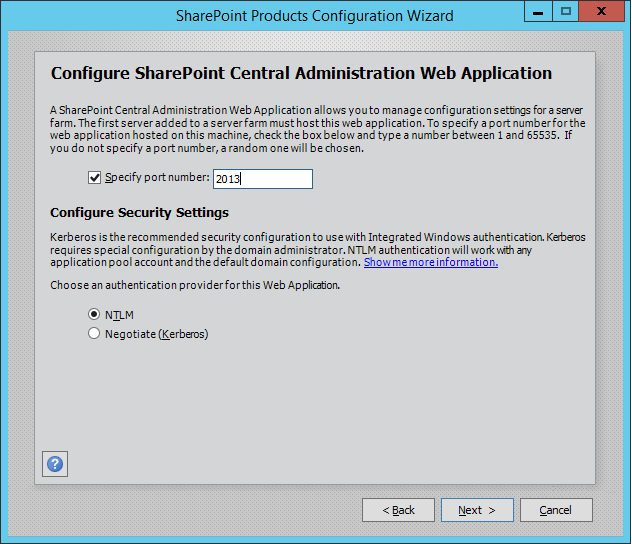
- Click Next.

- Great it’s finished successfully.

- Also Central administration working properly .

Enjoy

No comments:
Post a Comment